
#BuildWithEditShare

Share your builds Show off your creativity by sharing a photo of your Lego TM EditShare Logo on social media (LinkedIn, Twitter or Instagram). Use the hashtag #BuildWithEditShare so we can see your photos - get creative as we'll be picking

Katharine Guy ·

Share your builds

EditShare logo built from navy, white and orange LEGO pieces

Show off your creativity by sharing a photo of your LegoTM EditShare Logo on social media (LinkedIn, Twitter or Instagram). Use the hashtag #BuildWithEditShare so we can see your photos - get creative as we'll be picking out our favorites to win a prize.

Click here for Terms and Conditions

Instructions

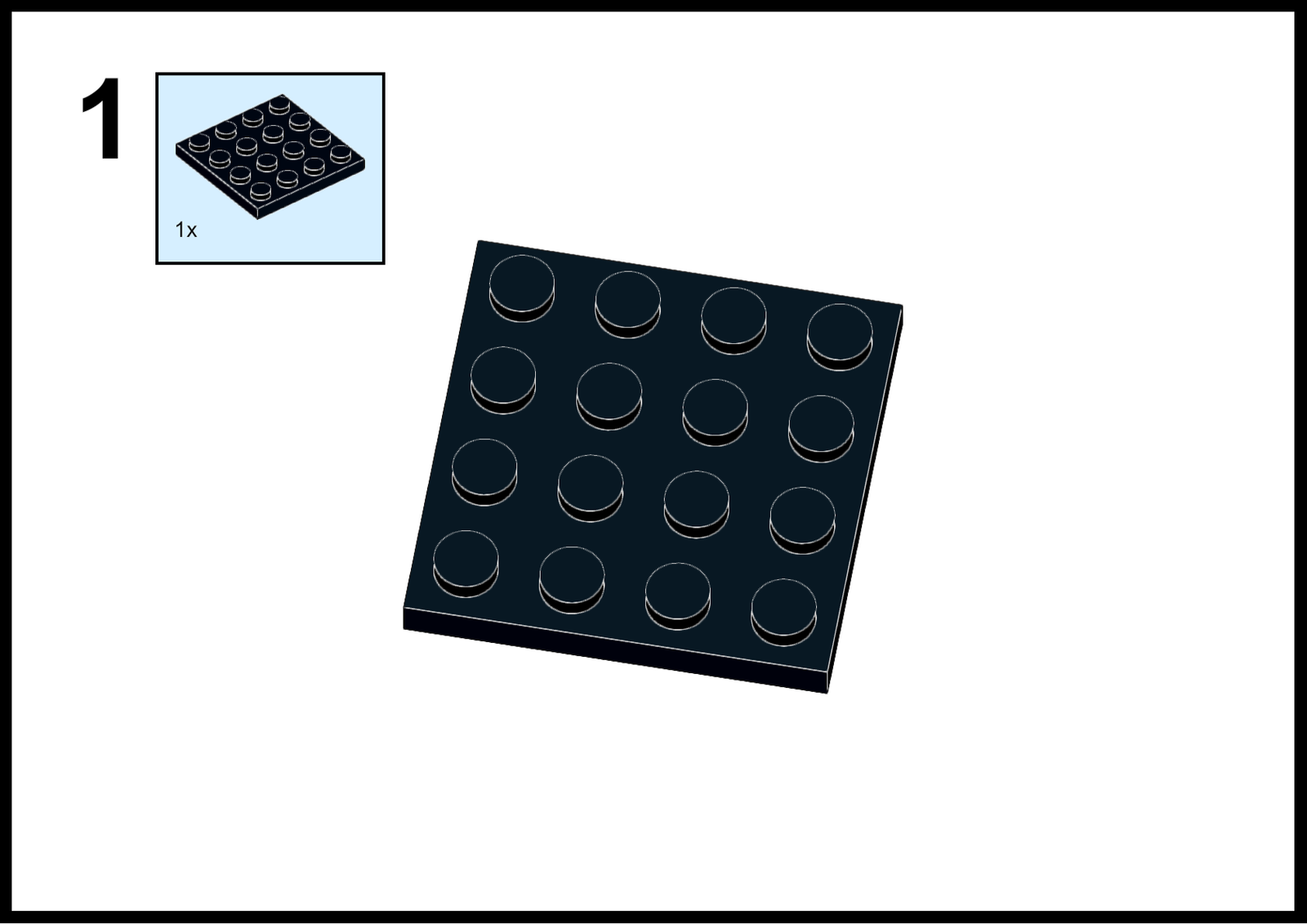
Building with EditShare is easy, but just in case you need some instructions to make your own EditShare Logo, here they are...
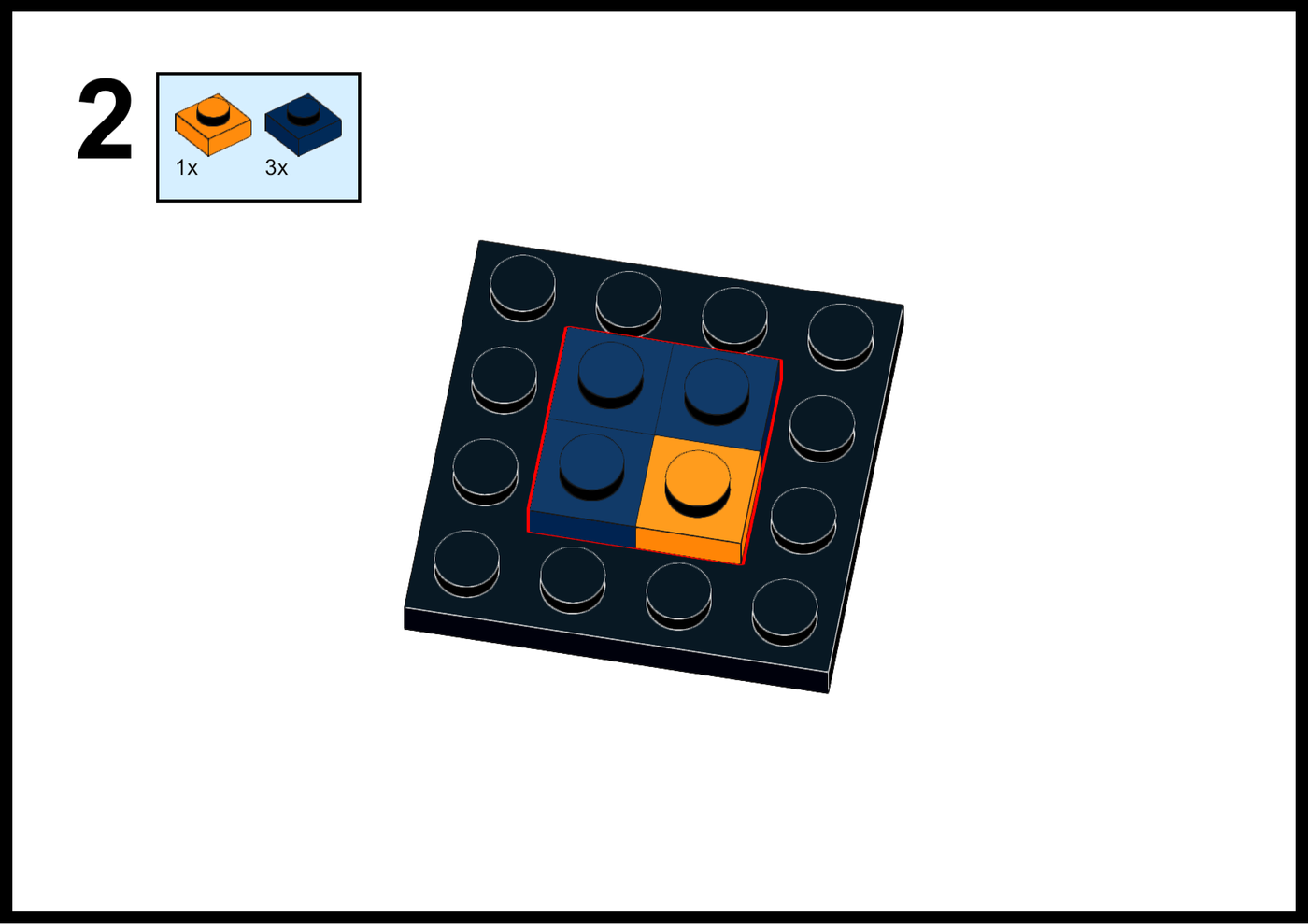
Step 2 of the #BuildWithEditShare Lego instructions: one orange and three dark blue bricks placed on a black base plate
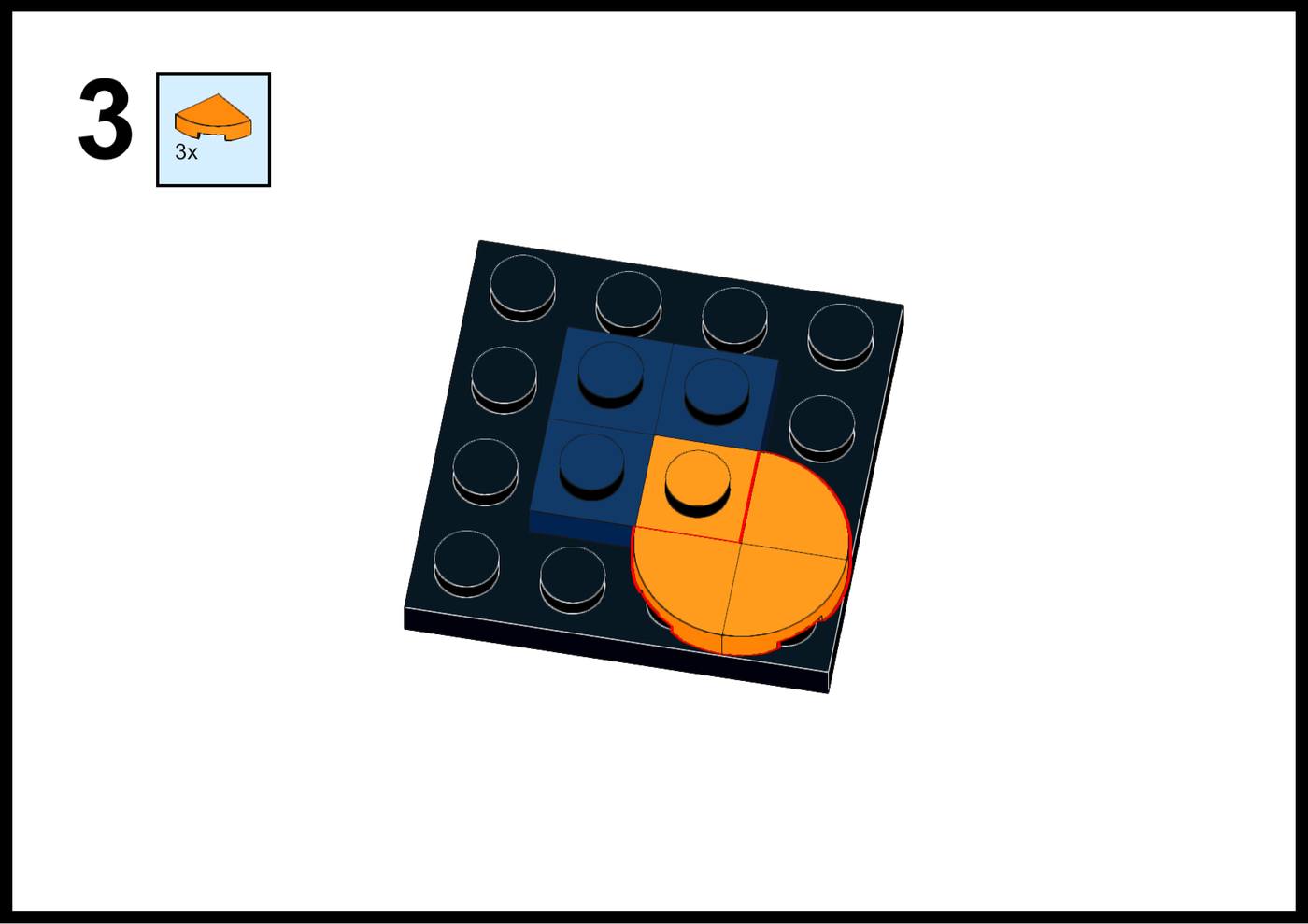
Lego instruction step 3 for building the EditShare logo: add three orange quarter round tiles
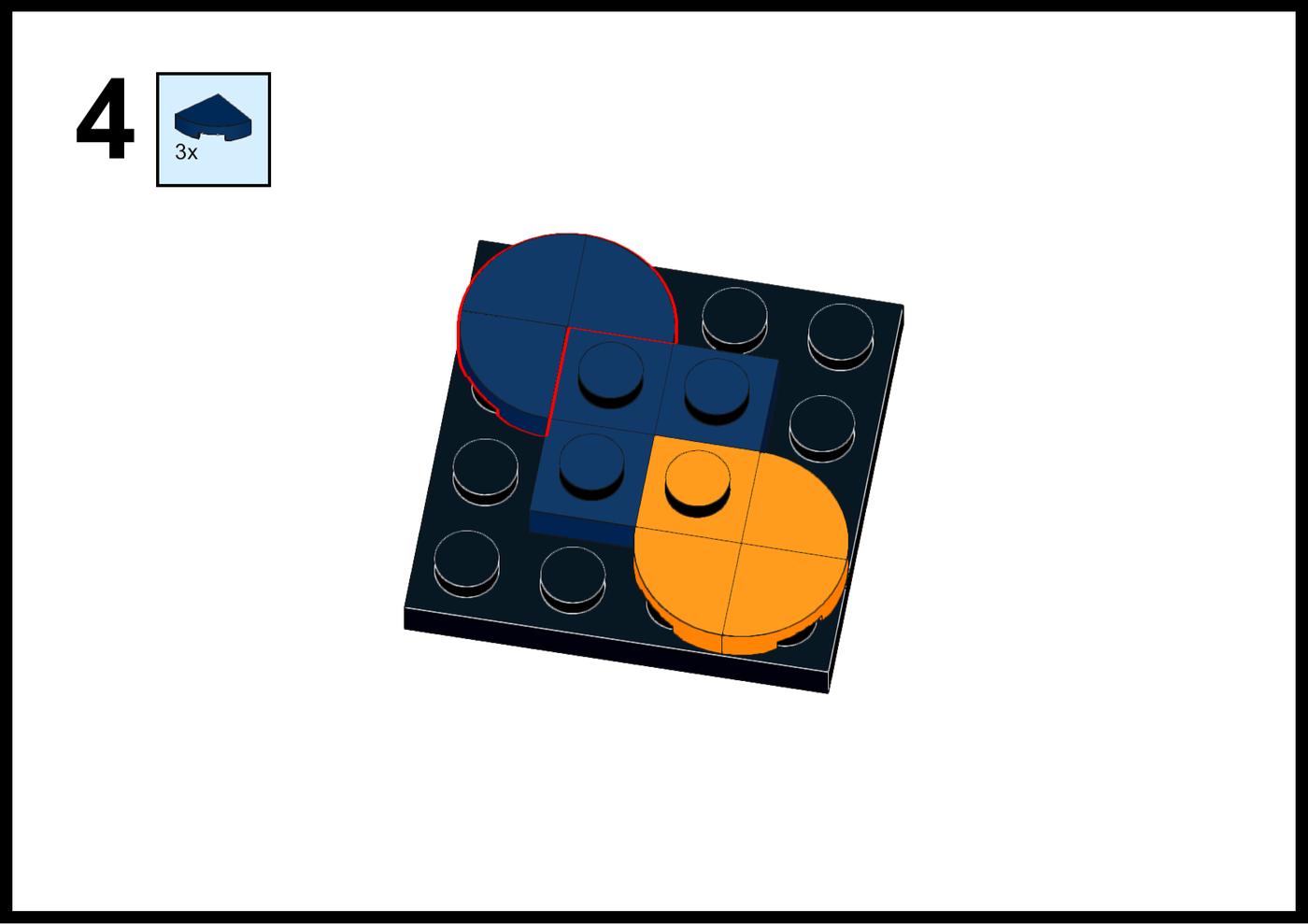
Step 4 of the LEGO build instructions for the EditShare logo, adding three curved pieces
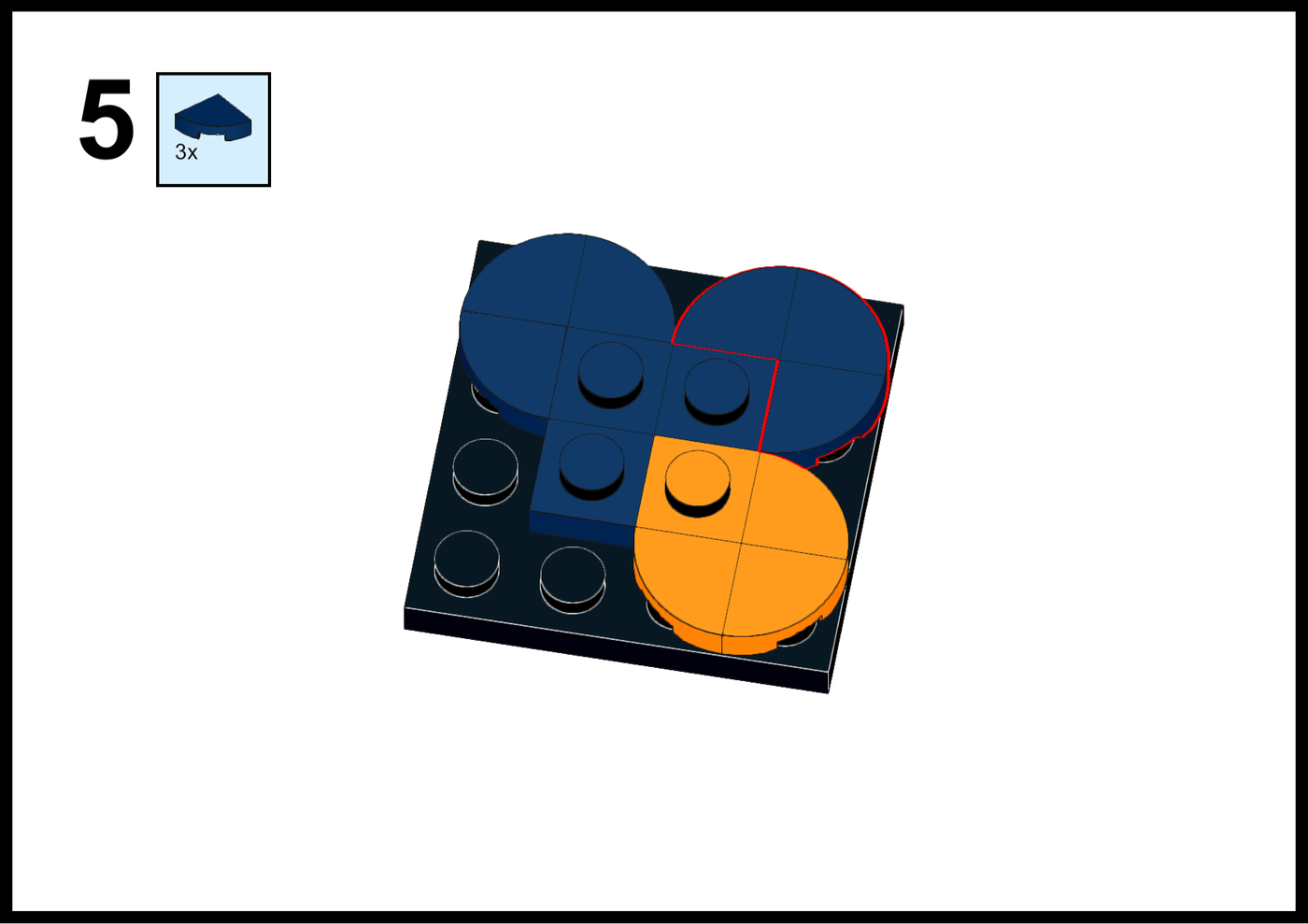
LEGO building instructions step 5: adding three quarter-round pieces to form the EditShare logo
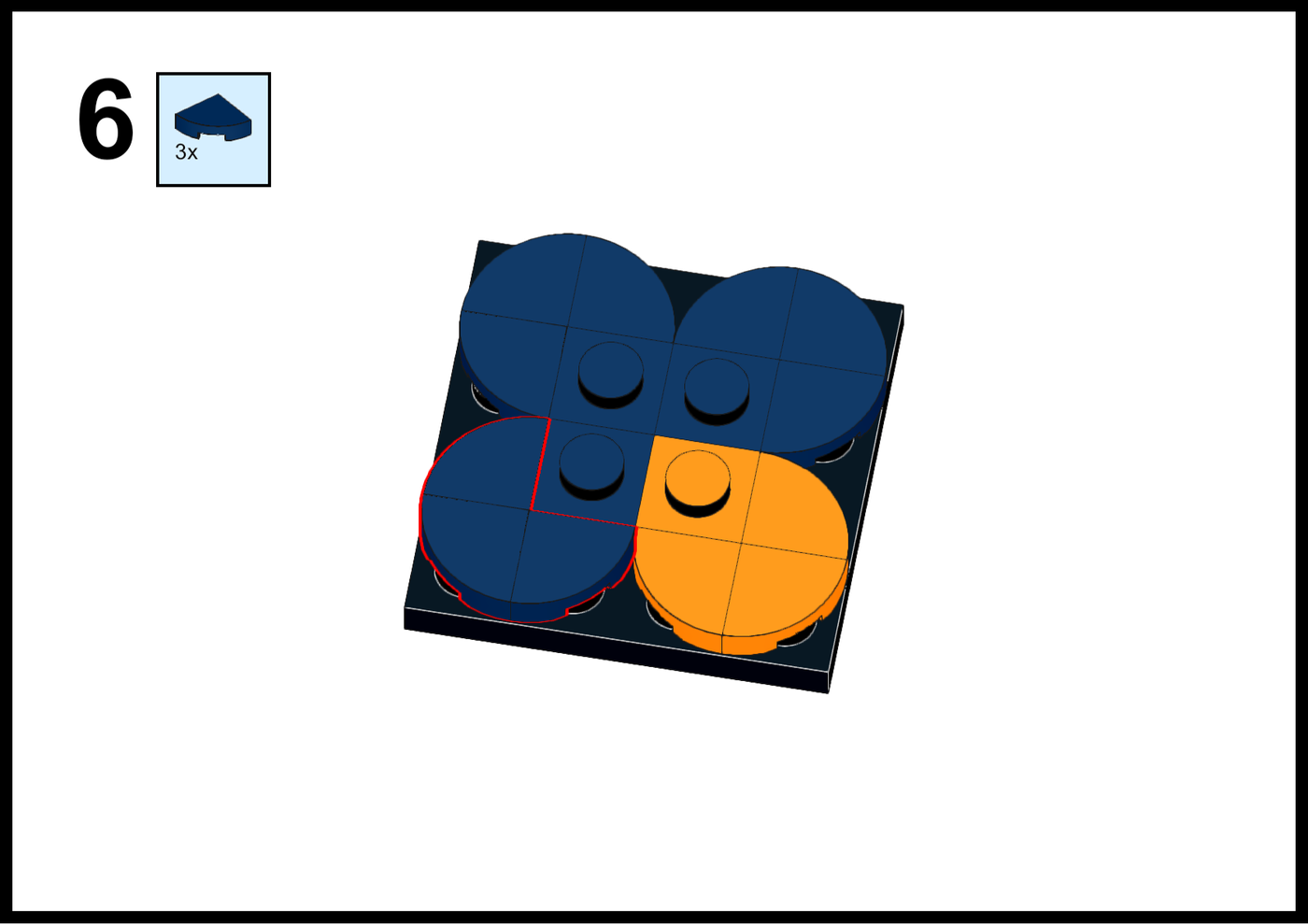
Step 6 of the LEGO build instructions for the EditShare logo, adding three dark blue quarter-round tiles
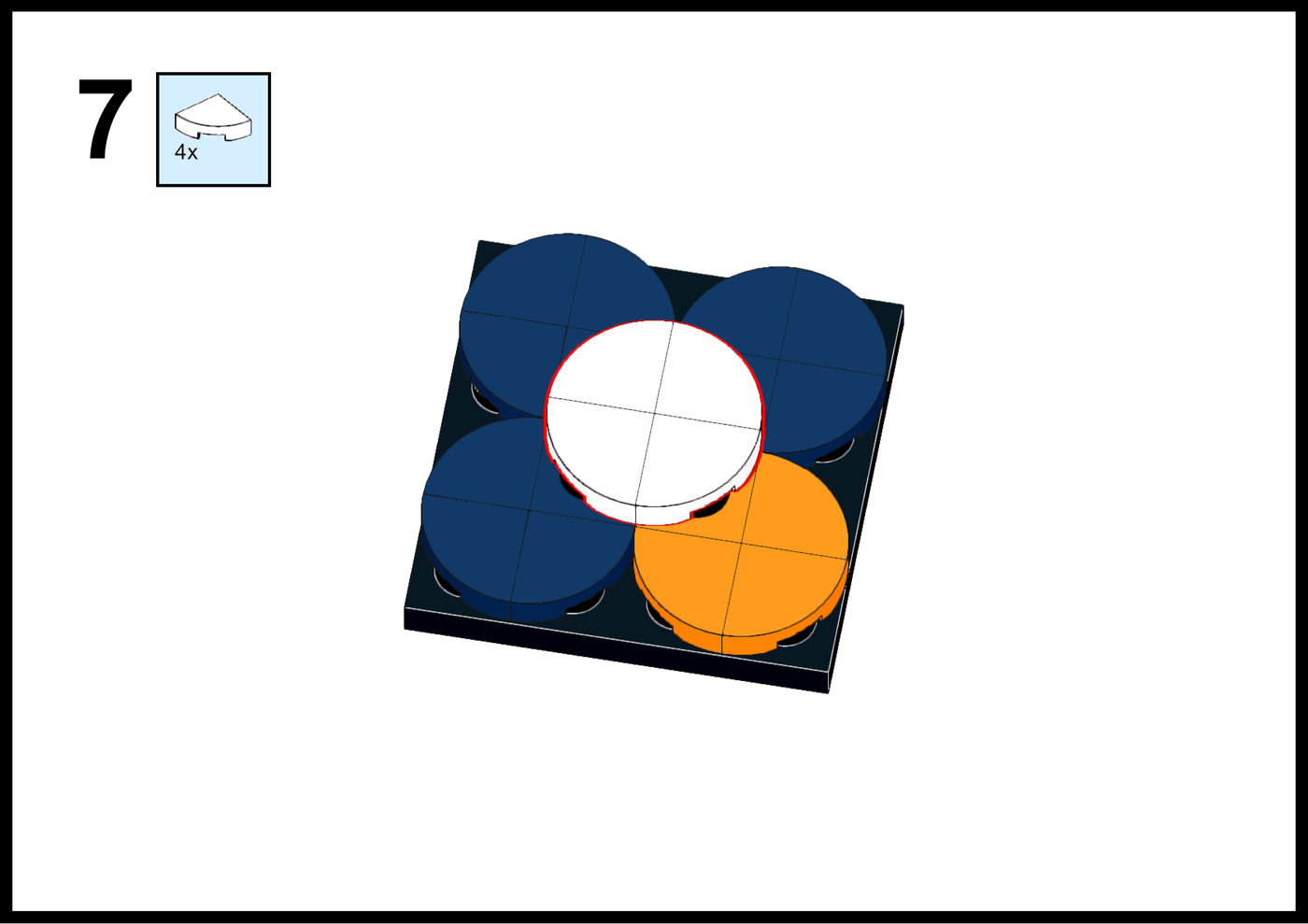
Lego building instructions, step 7: adding white round tiles to the EditShare logo

Missing Pieces?

Can't find one of the pieces in your LegoTM kit? Don't worry - come back to the EditShare Stand (Booth N2100) in the North Hall and we'll find you some from our spares!

Want to chat about how we can also help you build secure and flexible media storage with workflows that allow your teams to collaborate more than ever before?


Click here to get in touch

Share this article

Let us tailor a solution for your needs

Our pre-sales and professional services organizations can help you scope the optimal solution for your project.