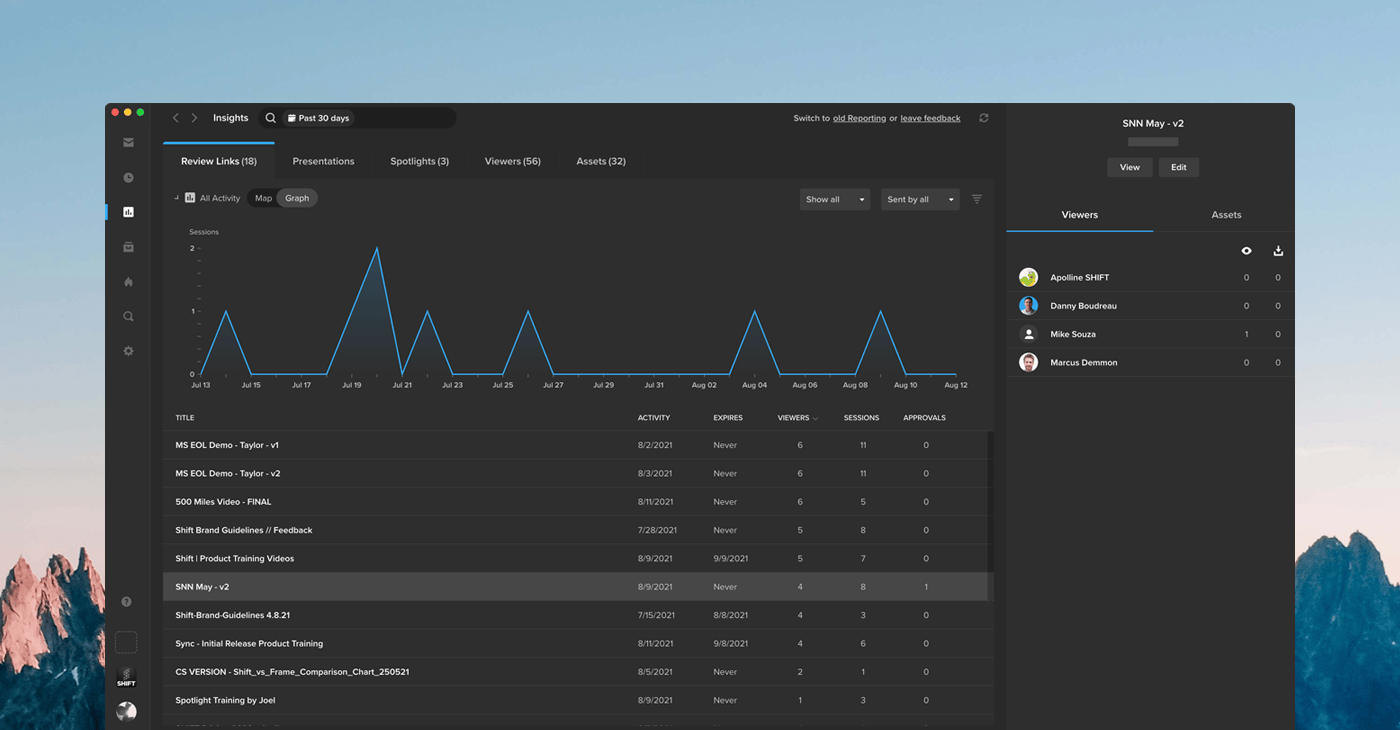
Insights is the new hub for analytics on all your links, viewers, and assets. See how your content is performing by clicking the Insights icon in the navigation bar. The left side of the Insights page provides a summary of your activity, including the number of visits to your links, the number of unique visitors, and the date of last activity. Click “All Activity” to display a map with your viewers’ locations, or select “Graph” to track viewer engagement over a period of time. Use the search bar along the top of the page if you are looking for analytics on a particular link, viewer, or asset. You can select any item on the left side of the page to display more information in the right column. This section contains details on your viewers’ activity, including the specific assets they viewed or downloaded and the video percentage watched. To learn more about the ways Insights tracks activity, please visit our support article .