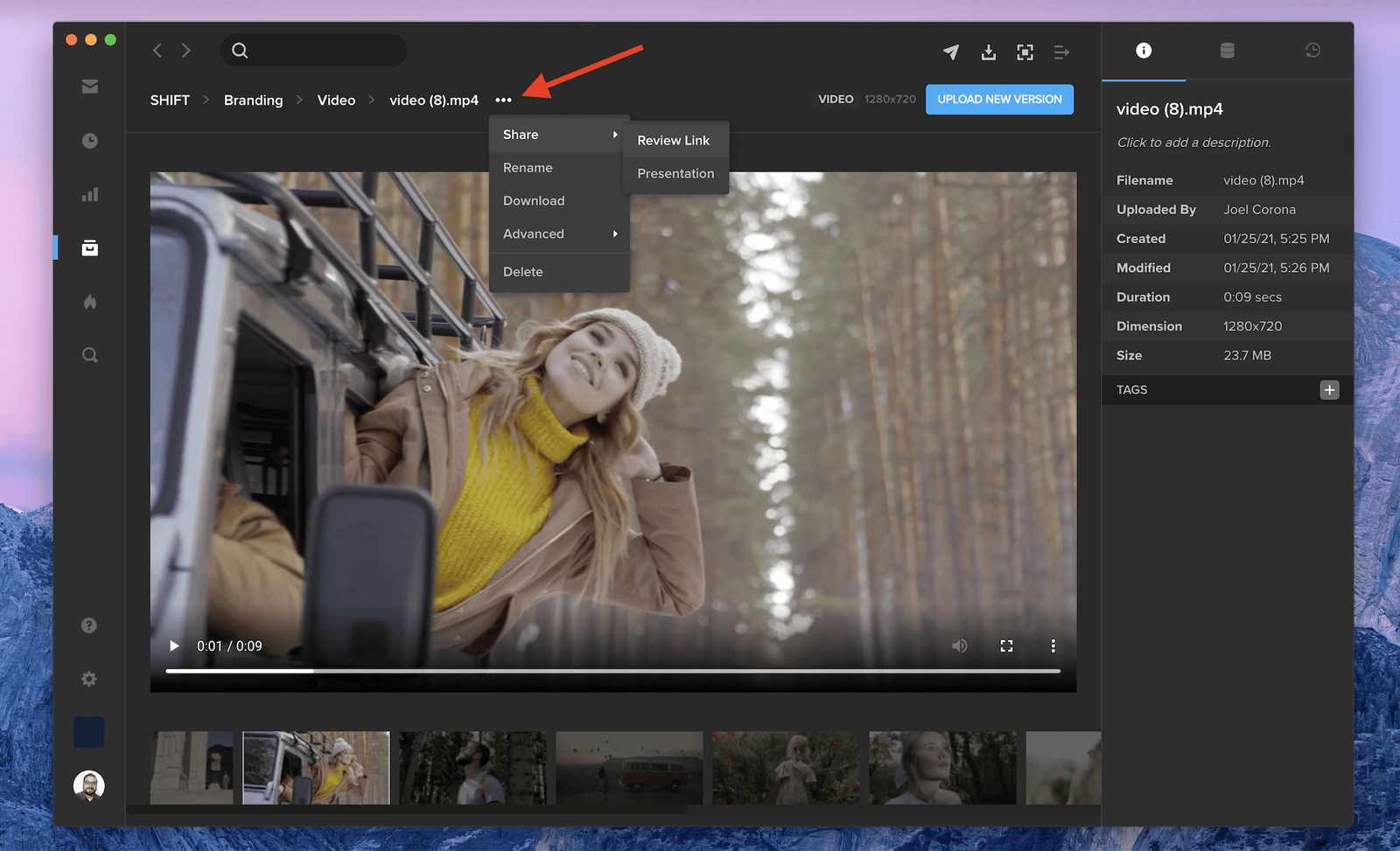
When you click into a file to view its asset detail page, you now have access to its action menu next to its filename. Click the three dots to see options to share, rename, download, or delete the file.
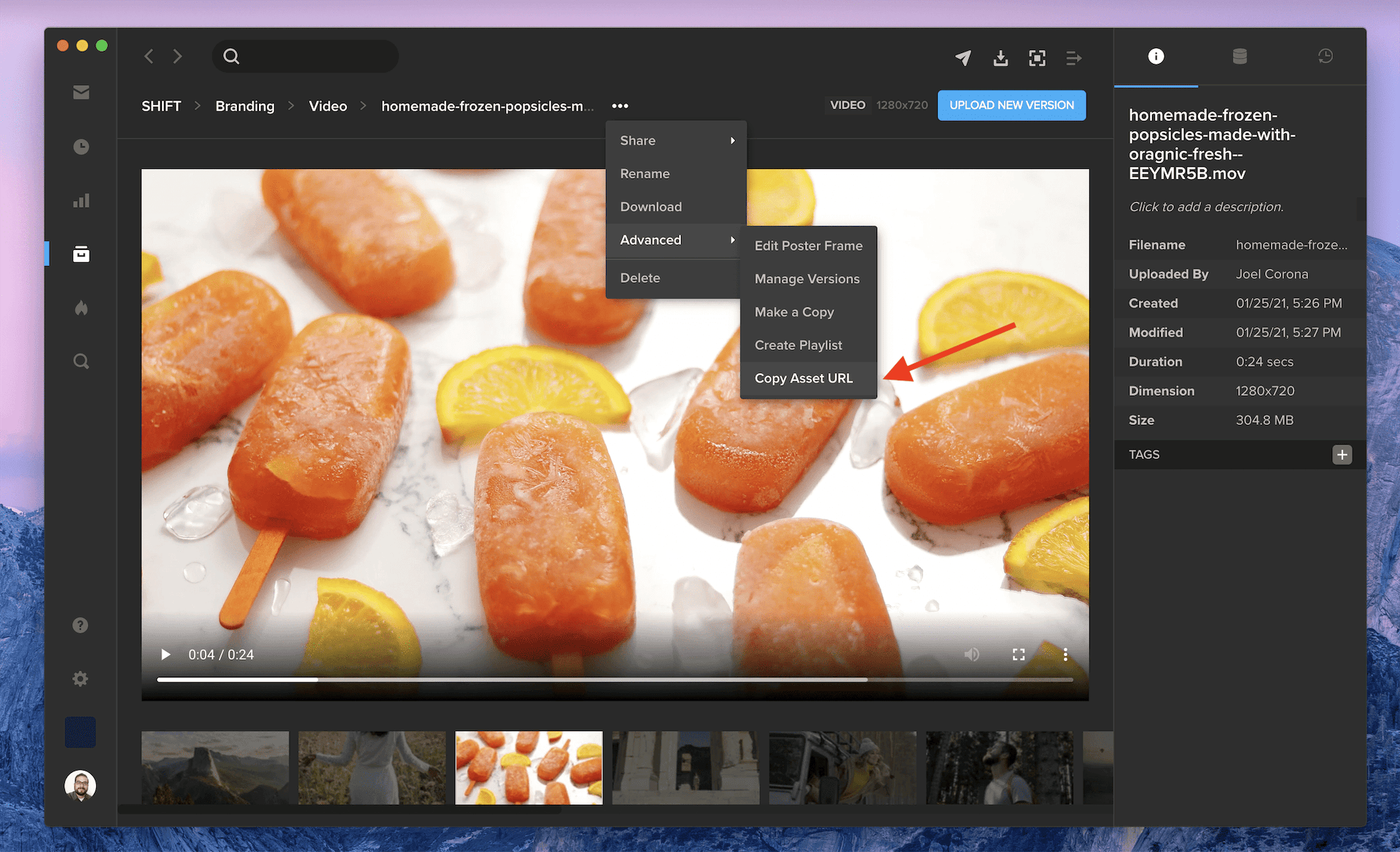
Click Advanced to see more options, like Make a Copy of the file and Create a new Playlist with the file. Select Copy Asset URL to share this direct file URL with other workspace users who have access to your SHIFT project. Note: To copy a project or folder URL, simply click the action menu next to the project or folder name, select Advanced, then Copy URL. This action menu is also available when you right-click on an asset in your main projects screens.