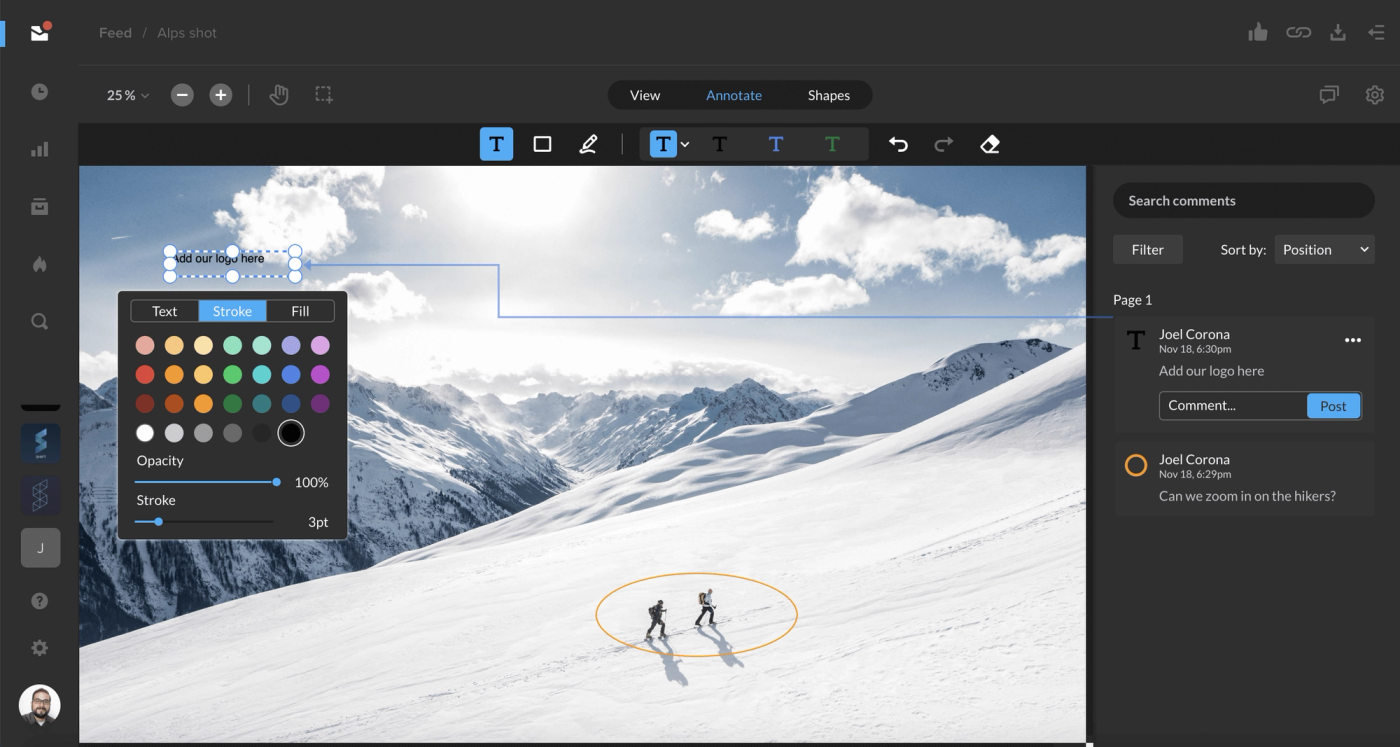
After sharing an image for review, you and your link recipients can now annotate images with comments, drawings, and shapes. Change the size, color, or style of these elements to customize your review experience. Image review is supported for common image file types, including jpg, png, psd, and svg. Learn more about image review in the Support article below.
Learn more
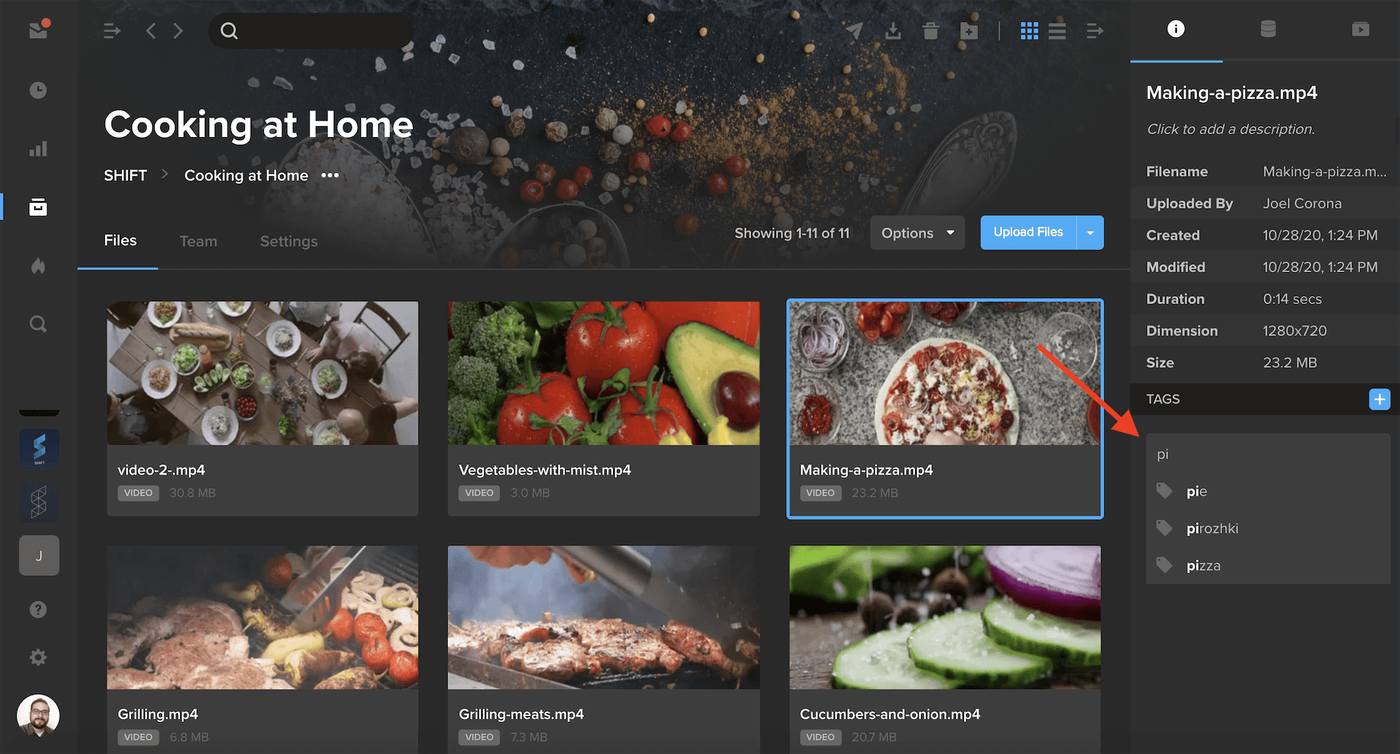
Tagging assets is now easier with auto-suggested tags. To start tagging assets, select an asset and open the Info tab in the right-hand drawer. Click the blue ‘+’ button next to Tags to enter an edit mode where you can add or delete tags. To add tags, simply start typing, and existing tags in your workspace will be auto-suggested.