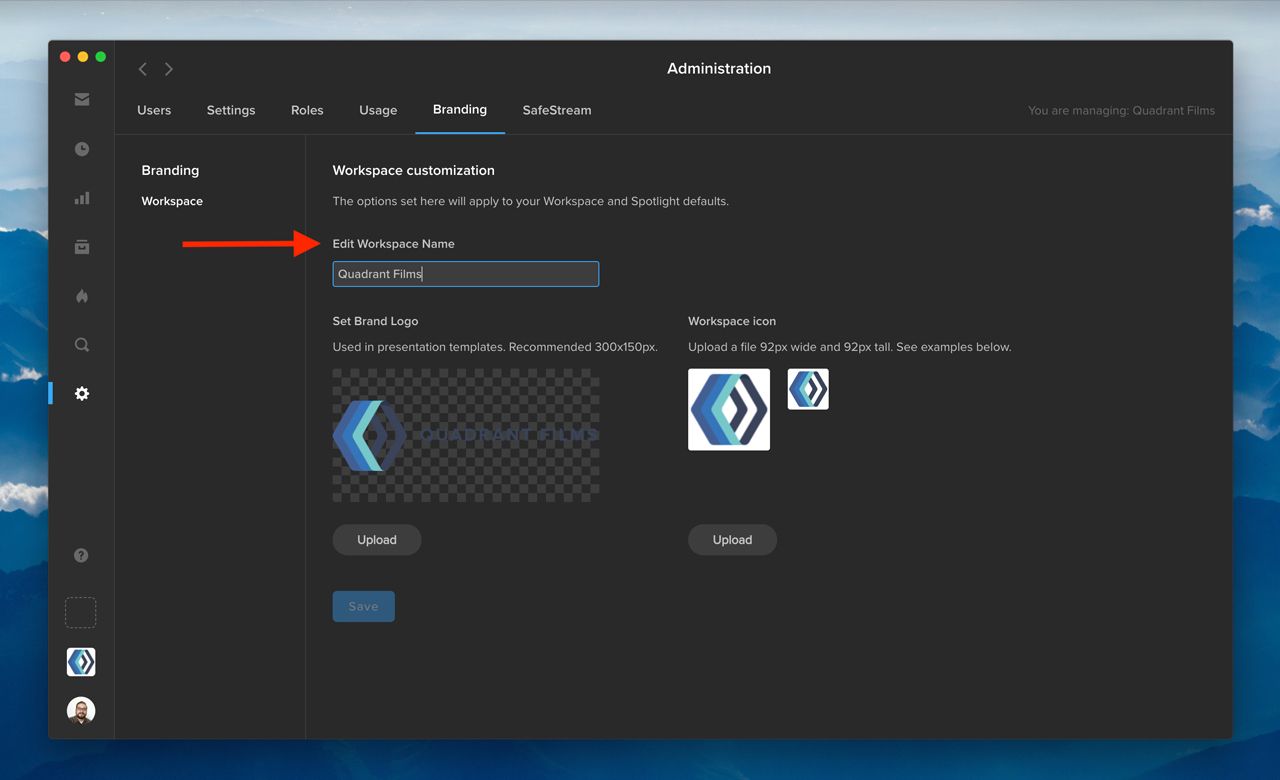
As a workspace administrator, you now have the ability to edit your workspace name. First, click the gear icon in the navigation bar to access the Administration section. Then, go to the Branding tab, and change your workspace name under “Edit Workspace Name.” Once you click “Save,” your updated workspace name will appear in the workspace switcher in the bottom left.
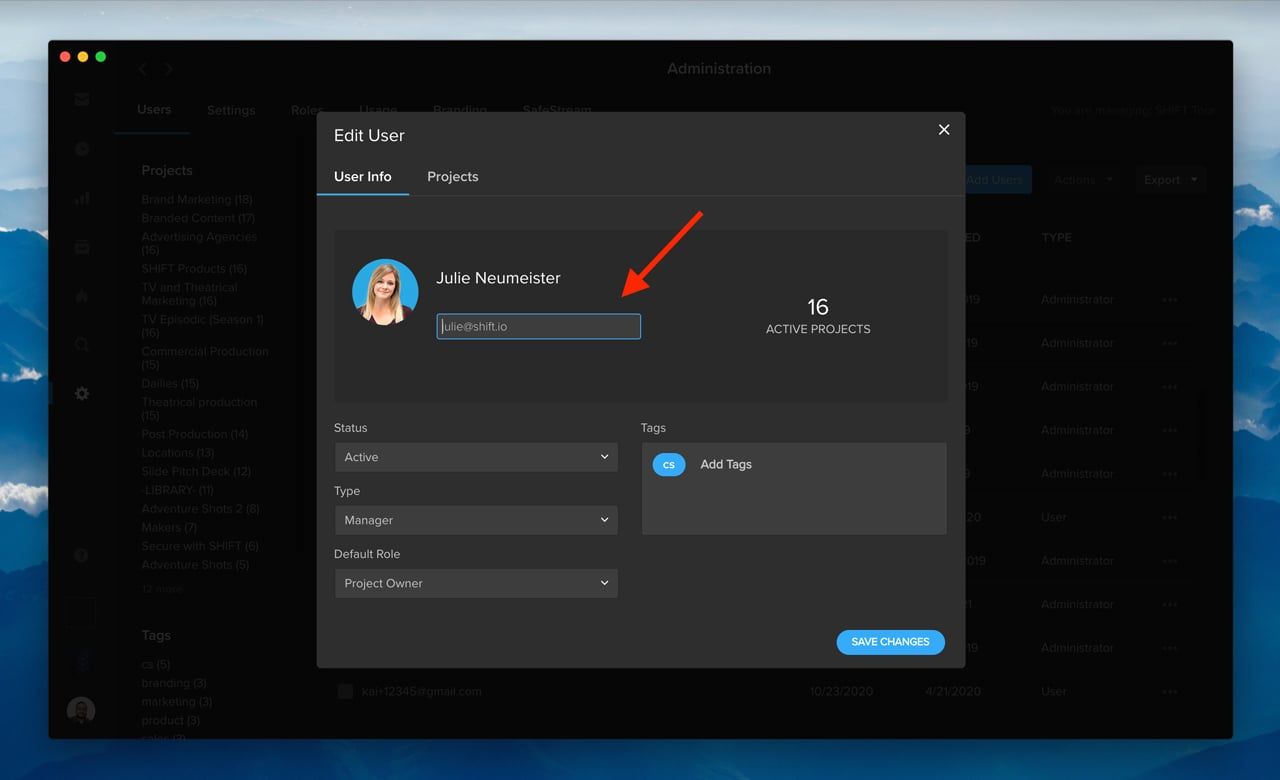
In addition, you can now edit the email address associated with an existing user on your Shift account. Under the Users tab in Administration, click the three-dots menu in any row, and select “Edit User.” In the “User Info” window, you can edit a user’s email address to reflect any changes to the user’s name or email domain. The user’s access to projects will remain unaffected.