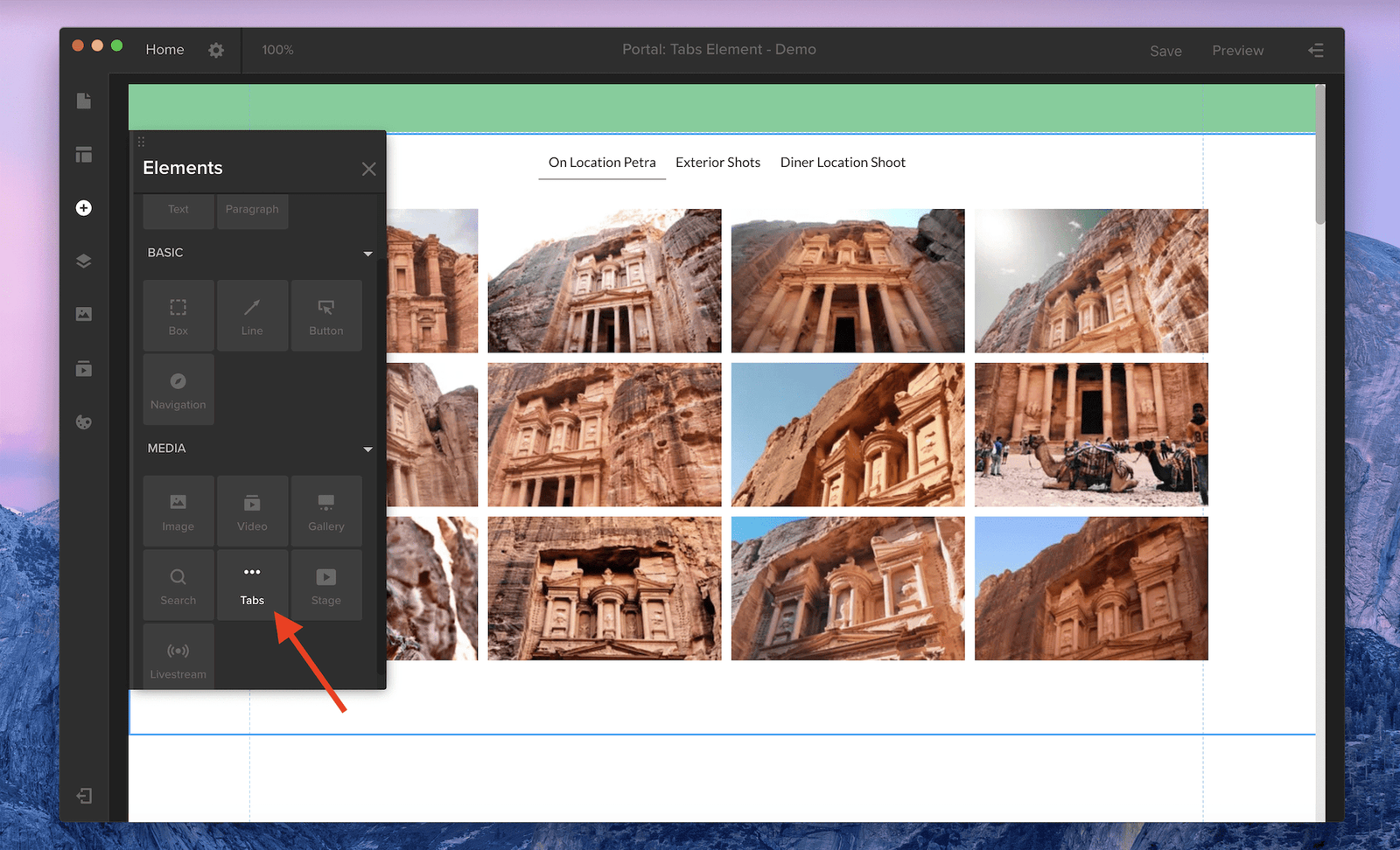
In the Elements panel in Spotlight, you’ll see a new Tabs element, which consolidates multiple playlists into one gallery.
- Click the Tabs element to add tabs and a gallery to the page.
- By default, each tab will display stock photos. Open the Playlists panel and drag your desired playlists onto the gallery.
- Your playlist name will appear as the new tab name. Click a tab to see that playlist.
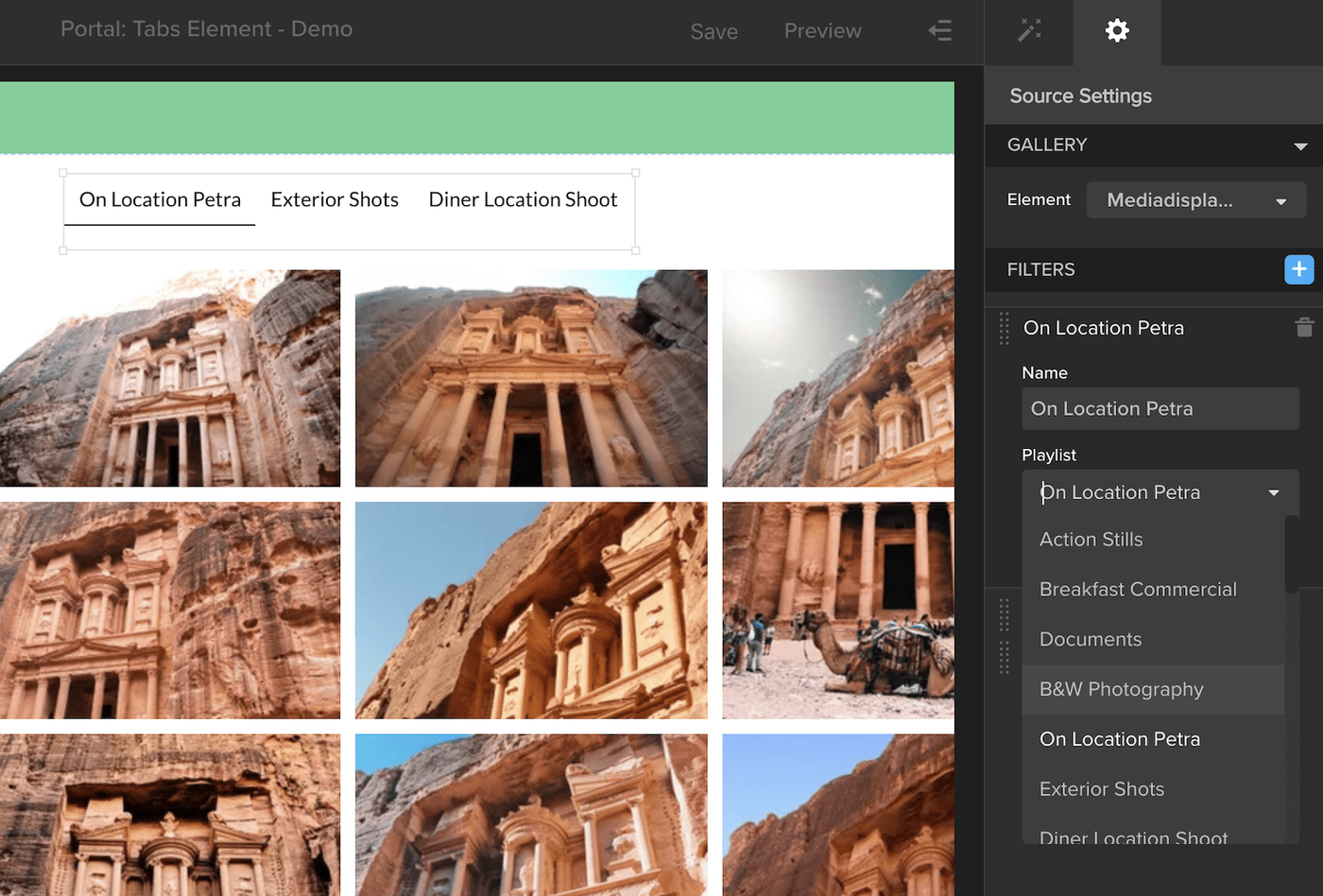
To customize your tabs, click the tabs on the page and open the properties drawer on the right. Here, you can choose between a horizontal or vertical layout, change your font, and adjust the text and background colors for all three selection states — default, hover, and selected. To remove a tab or to choose a different playlist, click the gear icon at the top of the properties drawer. Hover over your list of tabs, and click the trash icon to remove a tab, or the pencil icon to edit the tab name or swap in a different playlist. You can also add tabs by clicking the blue plus icon.