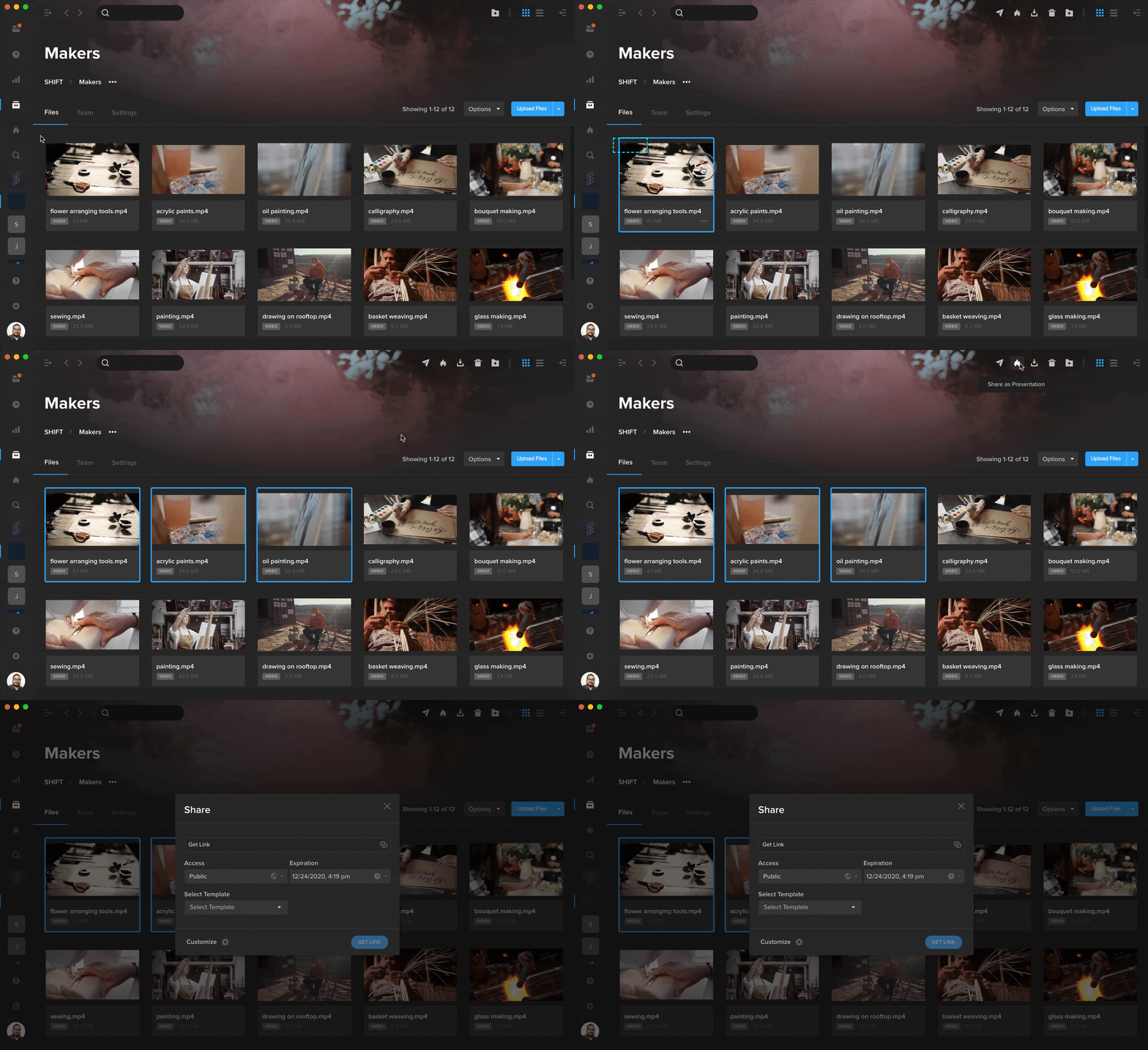
You can now share assets directly as a Spotlight presentation without leaving your project. Simply select your files and click the Spotlight flame icon in the top right corner of your screen. This will open a Share window where you can choose a template, adjust your settings, and create a presentation link to start sharing. To quickly group your assets into a playlist, you can now select them, right-click, and choose Create Playlist from the Advanced menu. Your new playlist will appear in the right-side drawer under the Playlist tab.